What can Findra actually find?
Names first. Then, if you ask, everything else. Names cost seconds to index, so they are on from the moment Findra starts. Reading inside files walks every drive and can run for hours, so it never begins on its own. You turn it on, one capability at a time, and each one is a separate download you can decline.
| What you can search for | Needs a model | On by default |
|---|---|---|
| Names of files and folders, across every NTFS volume | no | yes, the moment Findra starts |
| Words in documents, and the text inside pictures | no | no, until you turn content indexing on |
| Photos and video, by what is in the frame | yes | no |
| Documents by what they mean, not only the words they use | yes | no |
| Speech in recordings, with a second pass for Hebrew | yes | no |
Everything Findra can install adds up to 3.7 GB, and that is the figure only if you take all of it. Take none and it still searches every name on the machine. On the first screen each row is priced at its own files, so the number never moves when you tick it and the four rows add up to that 3.7 GB; the line along the bottom is what your selection actually costs, and it is smaller whenever two capabilities share a file. Settings prices the same capabilities differently, and correctly for the question being asked there: what one more would add to what is already on the disk.
Every picture below is the product
Each one was drawn by the same painter the window uses, with the command printed underneath it. Run the command, get the image.
The card
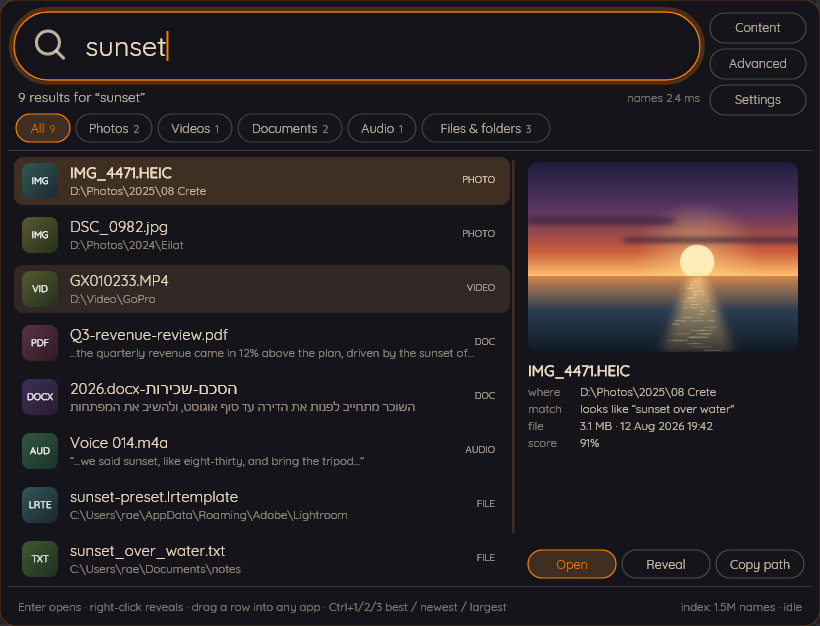
Nine results for "sunset": files by name, documents by their contents, and a photograph matched on what is actually in the frame.
findra --searchshot results.png results Mond

The capsule
It sits on the desktop doing nothing until you click it, or press the hotkey from wherever you happen to be.
findra --searchshot capsule.png capsule Mond
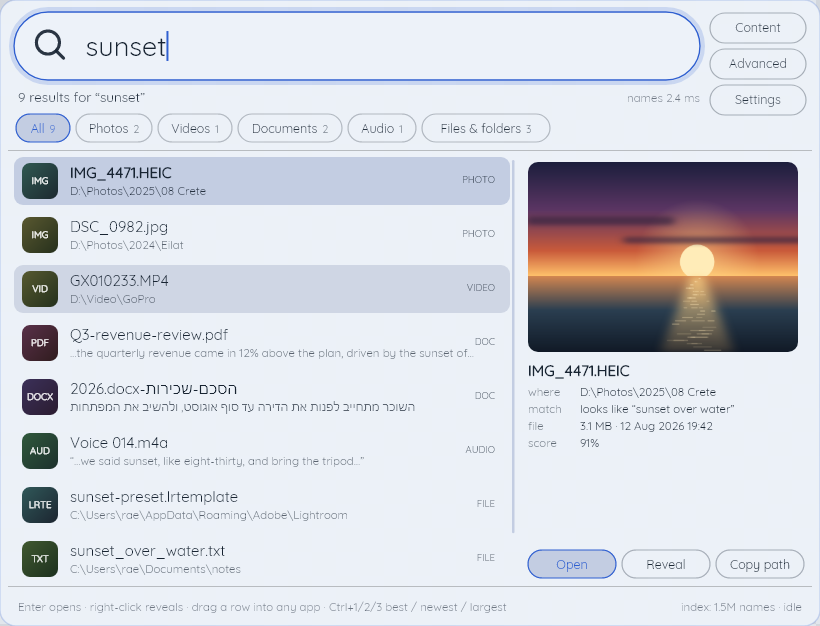
Six palettes, three dark and three light
Pick one of each and Findra follows the Windows setting, or pin it to either. Your own go in palettes.json.
findra --searchshot light.png results Blueprint
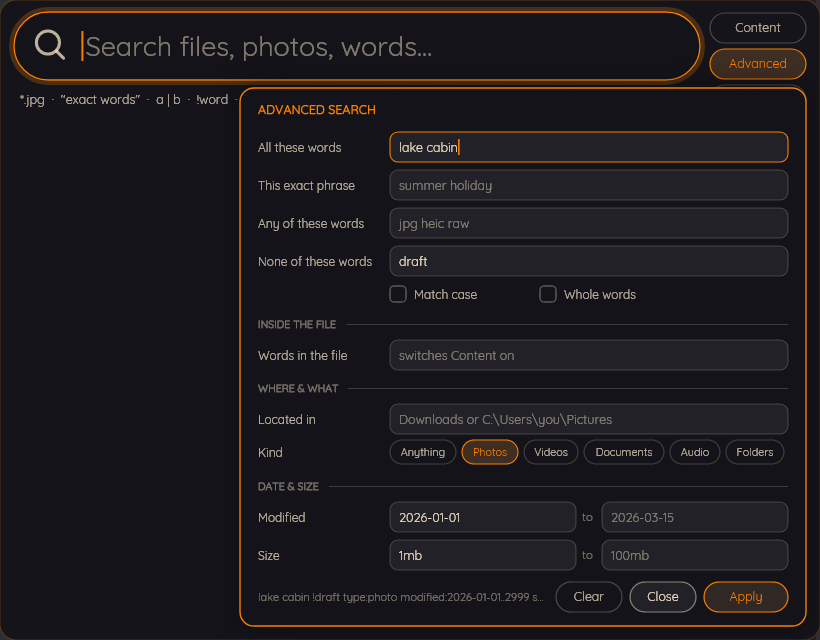
The grammar, with a form
Typing has a syntax. There is a form for the parts of it nobody remembers, and it writes the query for you.
findra --searchshot advanced.png adv Mond
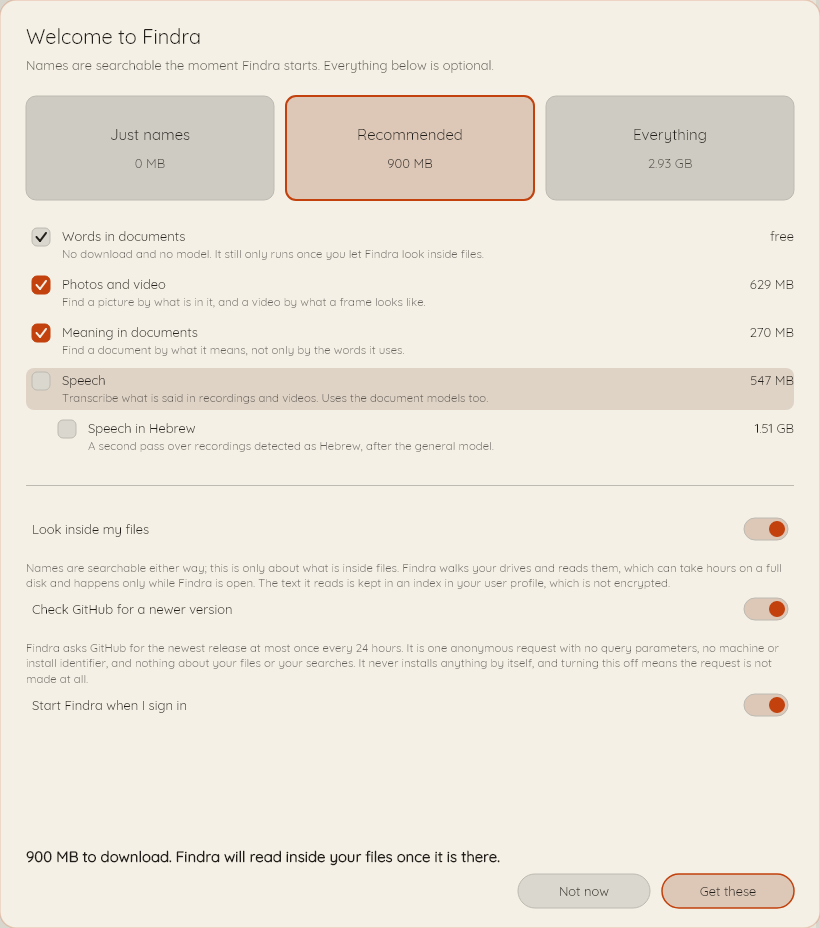
One question, then out of the way
Take a preset, take one capability, or take nothing at all. Nothing on this screen is permanent.
findra --searchshot firstrun.png firstrun Paper
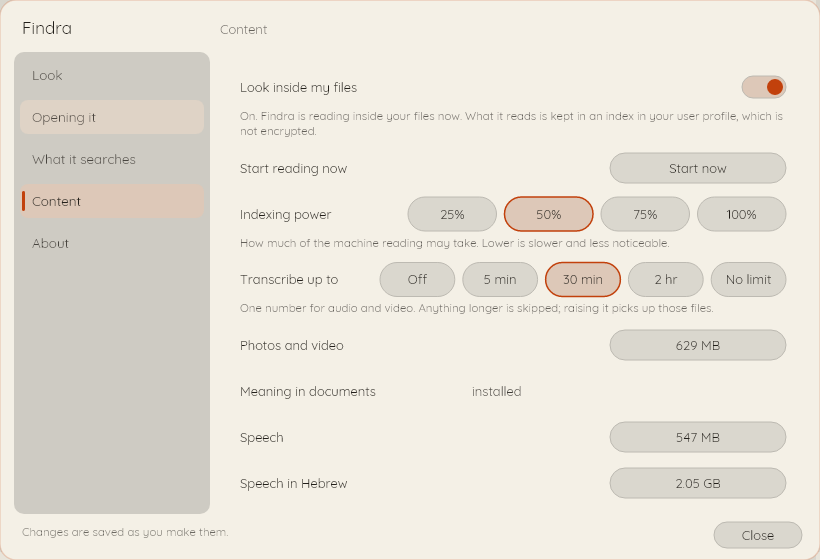
Reading inside your files is a switch, and it starts off
One number, in minutes, decides how long a recording is worth transcribing. Turning content indexing off later throws away nothing already read, and turning a capability on re-reads only the files that capability covers.
findra --searchshot settings.png settingscontent Paper